Printable ruler in centimeters and inches
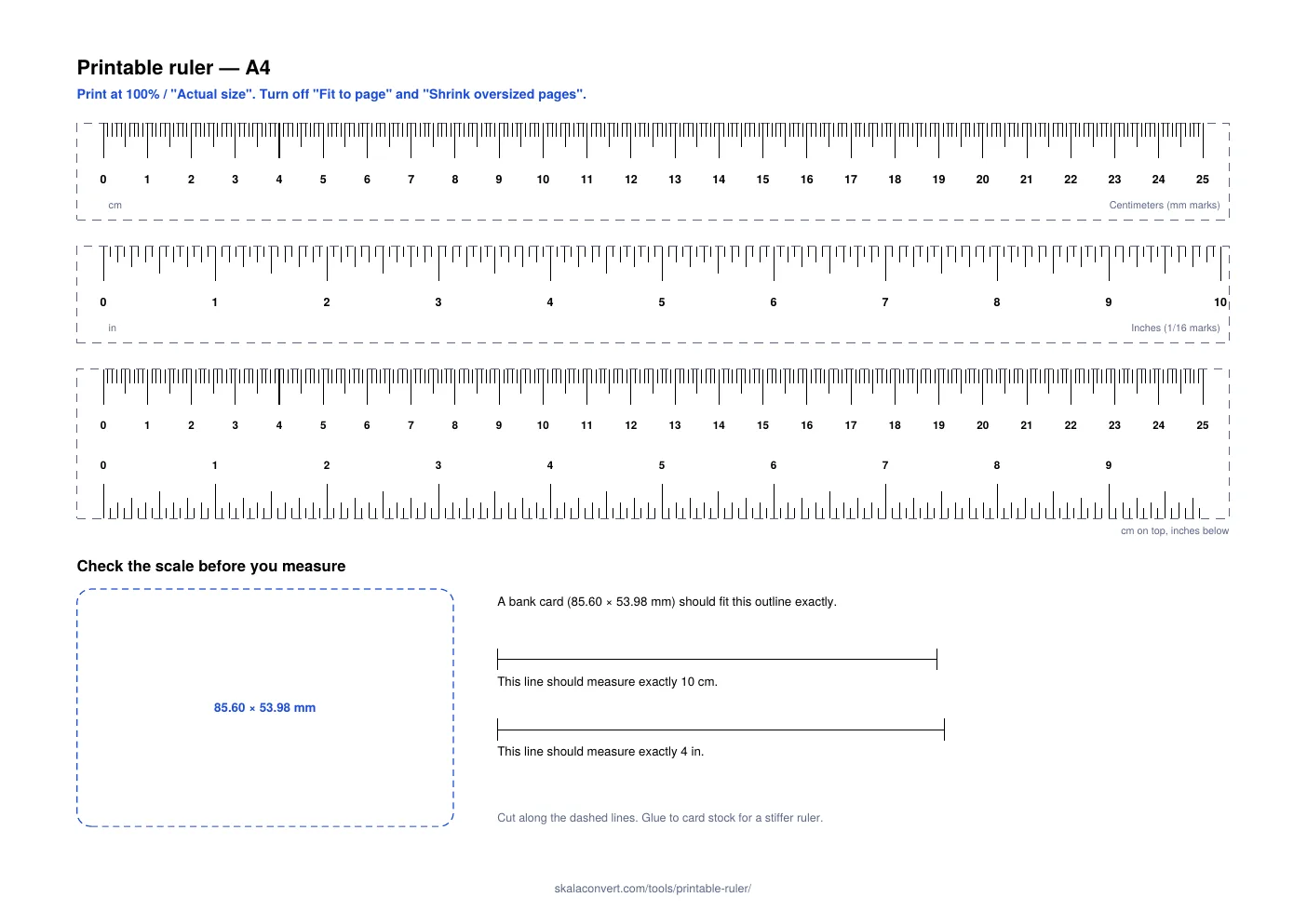
Download the PDF for your paper size and print it at 100%. You get a 25 cm ruler with millimeter marks, a 10-inch ruler in sixteenths and a combined cm/inch ruler, plus a bank-card outline to check the scale.
Reviewed on by the Skala Convert team
How do I print a ruler at actual size?
Open the PDF and, in the print dialog, set the scale to 100% — Adobe Acrobat Reader calls it “Actual size”, macOS Preview shows “Scale: 100%”. Then switch off every option that fits, shrinks or enlarges the page. Printers default to fitting the page inside their margins, and that silent shrink of a few percent is the most common reason a printed ruler measures short. The rulers are drawn with room to spare inside both paper sizes, so nothing gets cut off at 100%.
How do I check that the print is right?
Use the bottom of the sheet. Lay a bank card over the dashed outline: it should match the edges exactly. The two lines beside it should measure 10 cm and 4 inches against any ruler you trust. If the card is visibly larger than the outline, the page was shrunk; reprint at 100%. Printing the A4 file on Letter paper with fitting on comes out about 6% small, and the Letter file fitted to A4 about 3% small — enough to turn 25 cm into 23.5 cm.
Which paper size should I choose?
The size loaded in your printer. A4, 210 × 297 mm, is defined by ISO 216 and used almost everywhere outside North America. US Letter, 8.5 × 11 inches (215.9 × 279.4 mm), is the “A” size of the ASME Y14.1 drawing-sheet standard and the default in the US, Canada and Mexico. The two are close enough that the wrong one usually prints — just scaled — so picking the matching file avoids the problem entirely.
How accurate is a printed ruler?
Accurate enough for crafts, sewing, school work, checking a screw or a ring size, once the card check passes. Paper stretches slightly with humidity and printers feed paper with small variations, so it is not a substitute for a steel rule or a caliper in precision work. The inch marks follow the international inch, defined as exactly 25.4 mm — the value NIST Special Publication 811 lists with no rounding — so the inch and centimeter scales agree with each other exactly: 10 inches on the sheet span 254 mm.
Why a bank card for the check?
Because its size is fixed by an international standard. ISO/IEC 7810 defines the ID-1 card format as 85.60 × 53.98 mm, and bank cards, most driving licenses and many ID cards are made to it, so almost everyone has a reference object in their wallet. The same check is used by the online ruler to calibrate screens.
To read the inch side, the inch fraction chart gives every mark as a decimal and in millimeters, and the cm to inches converter handles any measurement in between.
Frequently asked questions
Why did my printed ruler come out too small?
The printer scaled the page. Print again with the scale at 100% or “Actual size” and with “Fit to page” turned off. Printing the A4 file on US Letter paper with fitting on shrinks it by about 6%, so a 25 cm ruler comes out near 23.5 cm.
Can I print the ruler from my phone?
Yes. Open the PDF, choose Print, and look for a scale or paper-size option set to 100% or actual size. Then check the result against the bank-card outline before you rely on it.
Which file should I download, A4 or Letter?
The one that matches the paper in your printer. Letter (8.5 × 11 in) is standard in the US, Canada and Mexico; A4 is standard almost everywhere else.
What paper works best?
Ordinary printer paper is fine. Glue the strips to card stock or a cereal box before cutting them out and the ruler will stay flat and straight.